Test Summary
113
Total Scenarios
111
Passed
2
Failed
9
Bugs Found
23
E2E CRUD Tests
3
CSV Export Bugs
Bugs Found
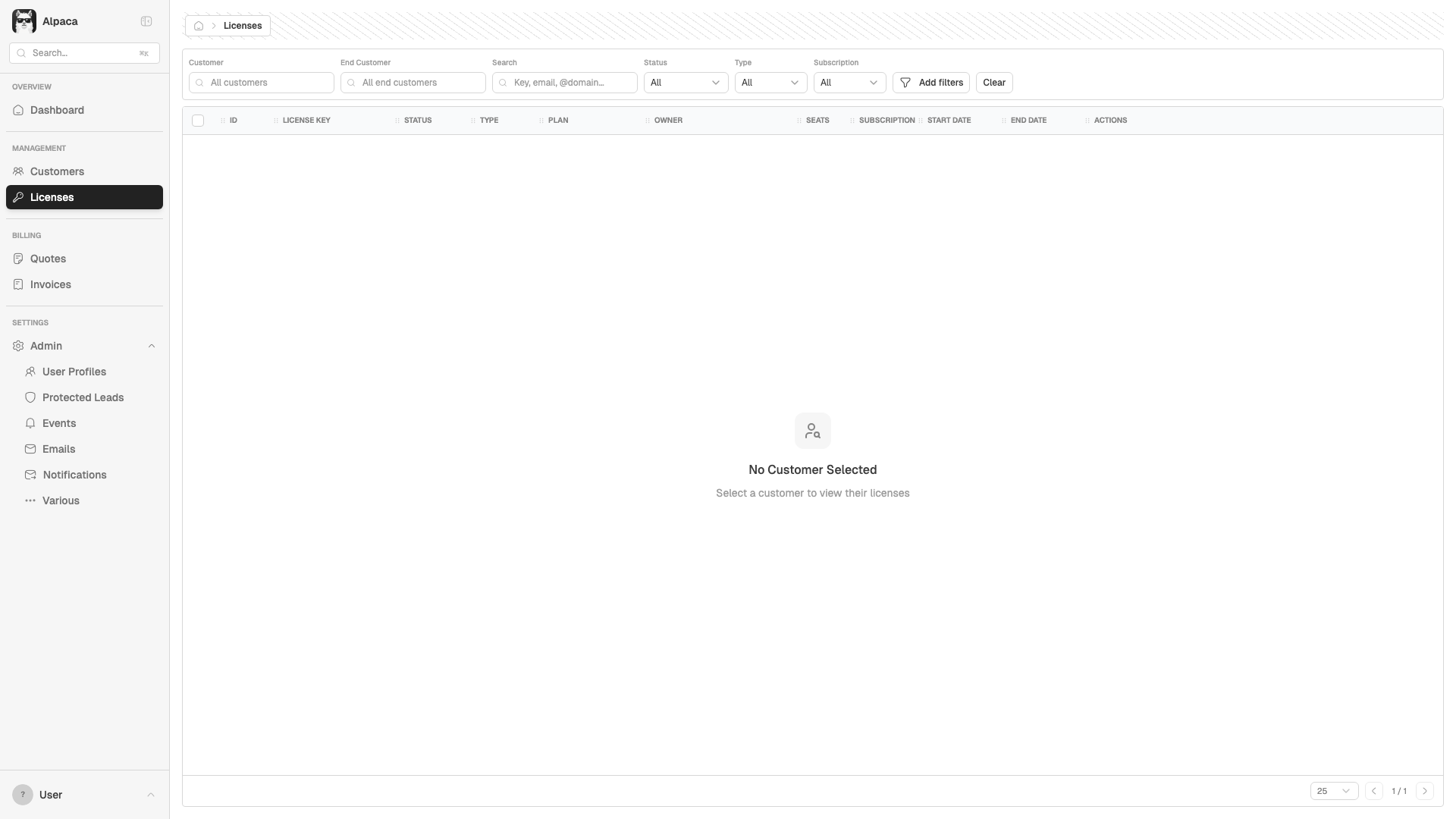
BUG-001 Medium CORS error blocks /api/retool/products on Licenses page
Copy-paste issue
**Bug: CORS error on products endpoint (Licenses page)**
`getProducts()` in `src/lib/api/client.ts:645` uses `this.client.get('/products')` which resolves to `https://api.eu.hex-rays.io/api/retool/products` — the direct production URL. Since there's no CORS header for localhost, this fails in dev.
Other similar methods (`getCountries`, `getPlans`) use `axios.get()` with a full URL that goes through the Vite proxy, and work fine.
**Error:** `Access to XMLHttpRequest at 'https://api.eu.hex-rays.io/api/retool/products' blocked by CORS policy`
**Impact:** Product names may be missing in the Licenses grid. Console shows cascading `net::ERR_FAILED` errors.
Proposed fix
// src/lib/api/client.ts — getProducts() (~line 645)
// Before:
async getProducts() {
const { data } = await this.client.get('/products')
return data
}
// After — use raw axios like getCountries/getPlans do:
async getProducts() {
const { data } = await axios.get(`${this.baseUrl}/products`, {
headers: this.getHeaders()
})
return data
}
Screenshot
BUG-002 Medium 500 error on Customer Pending Charges API
Copy-paste issue
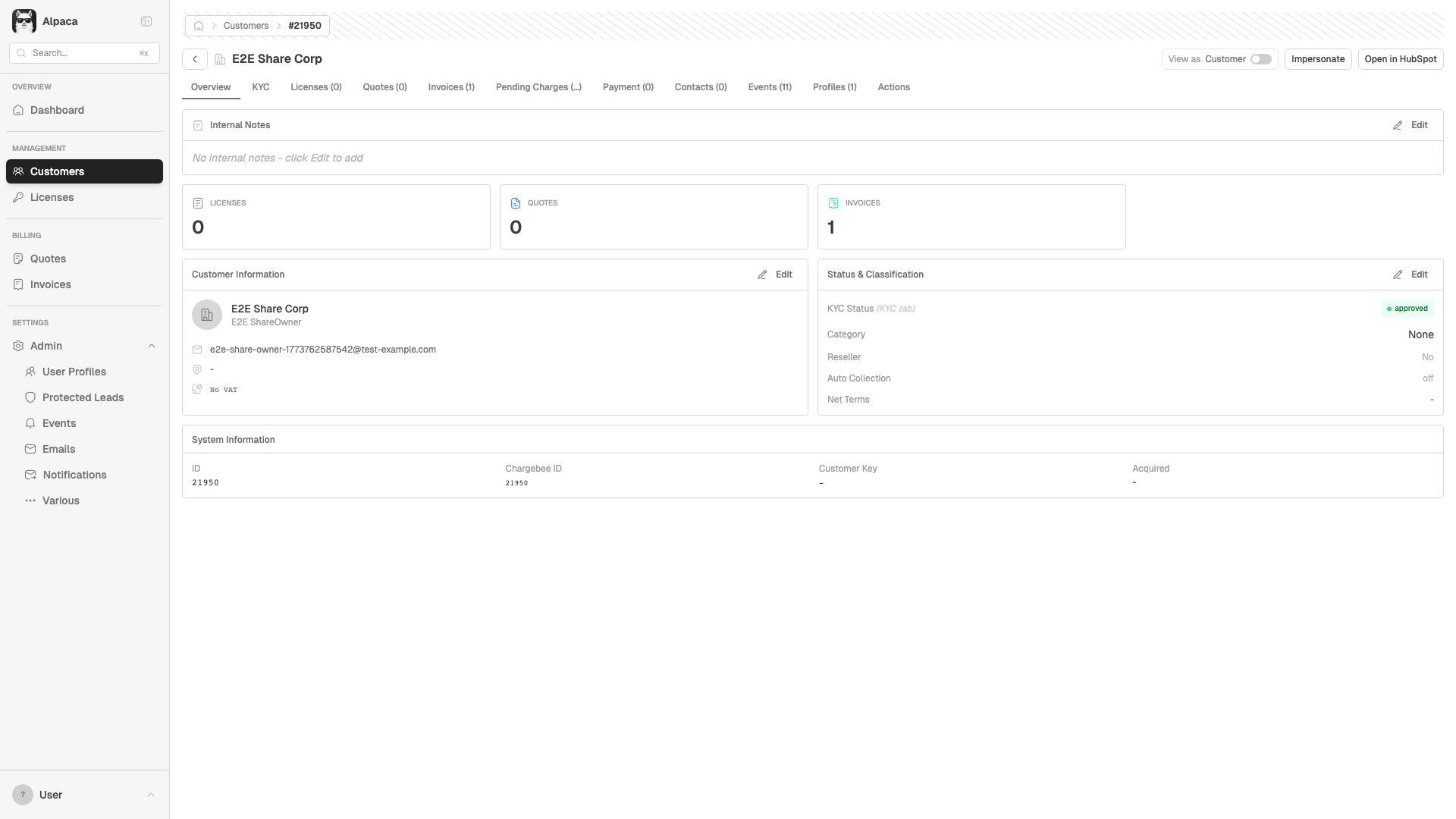
**Bug: 500 Internal Server Error on pending charges**
`getCustomerCharges()` in `src/lib/api/client.ts:105` calls `GET /api/retool/customers/{id}/charges`. The backend returns 500 for this endpoint.
**Stack trace:**
```
EAApiClient.getCustomerCharges (client.ts:105)
→ fetchPendingCharges (CustomerDetail.tsx:504)
```
**Impact:** The "Pending Charges" tab on Customer Detail shows a spinner that never resolves. No error is shown to the user.
**Suggestion:** Either fix the backend route, or add error handling in the UI (show "Failed to load" instead of infinite spinner).
Proposed fix (frontend — graceful error handling)
// src/pages/CustomerDetail.tsx — fetchPendingCharges (~line 504)
// Add user-visible error state instead of silent console.error:
const [chargesError, setChargesError] = useState(false);
const fetchPendingCharges = async () => {
if (!customer?.id) return;
setChargesError(false);
try {
const data = await apiClient.getCustomerCharges(customer.id);
setPendingCharges(data);
} catch (err) {
console.error('Error fetching pending charges:', err);
setChargesError(true);
}
};
// Then in the Pending Charges tab render:
{chargesError ? (
<Empty>
<EmptyTitle>Failed to load pending charges</EmptyTitle>
<EmptyDescription>The server returned an error. Try again later.</EmptyDescription>
</Empty>
) : /* existing render */}
Screenshot
BUG-003 Low 403 Forbidden on resource load (multiple pages)
Copy-paste issue
**Bug: 403 Forbidden on resource load**
Console shows `Failed to load resource: the server responded with a status of 403` on multiple pages. Likely an API endpoint or static asset that doesn't recognize the test auth headers. Not visible to users in the UI but clutters the console.
**Observed on:** Dashboard, Customers list, and other pages.
**Note:** May be test-environment specific (X-Test-As header bypass). Verify if this also occurs with real Supabase auth.
BUG-004 Low 400 Bad Request on Quote Wizard initial load
Copy-paste issue
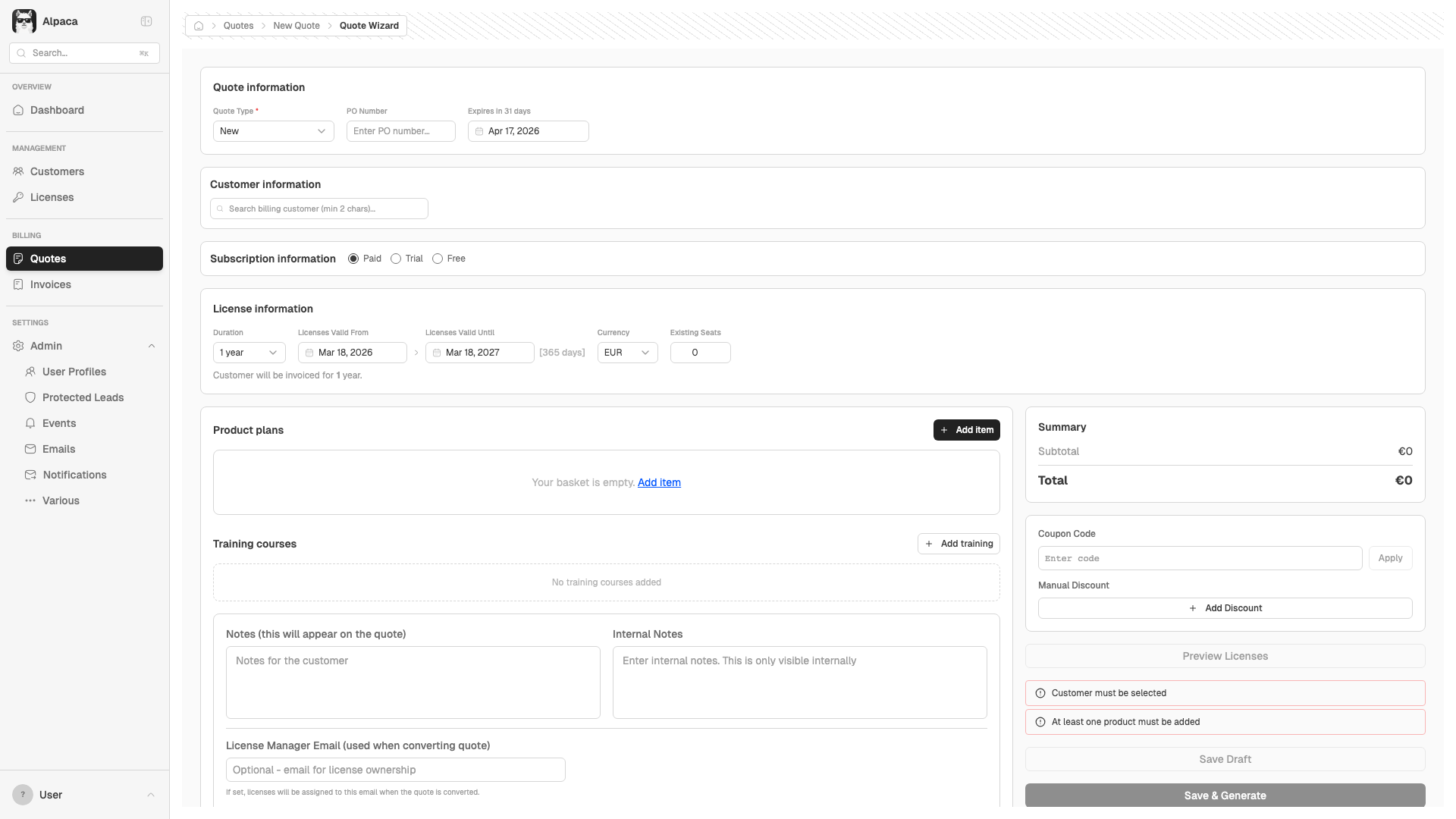
**Bug: 400 Bad Request when navigating to /quotes/wizard**
An API request returns 400 when the Quote Wizard loads without a customer context. The wizard still renders and functions, but the initial data fetch fires with missing required params.
**Impact:** Non-blocking. The wizard works fine once a customer is selected. But the unnecessary failed request adds noise to the network log and slows initial render.
**Suggestion:** Guard the initial fetch with a check for required parameters before firing the request, or lazy-load data only after customer selection.
Screenshot
BUG-005 Low Missing breadcrumb on all Reports pages
Copy-paste issue
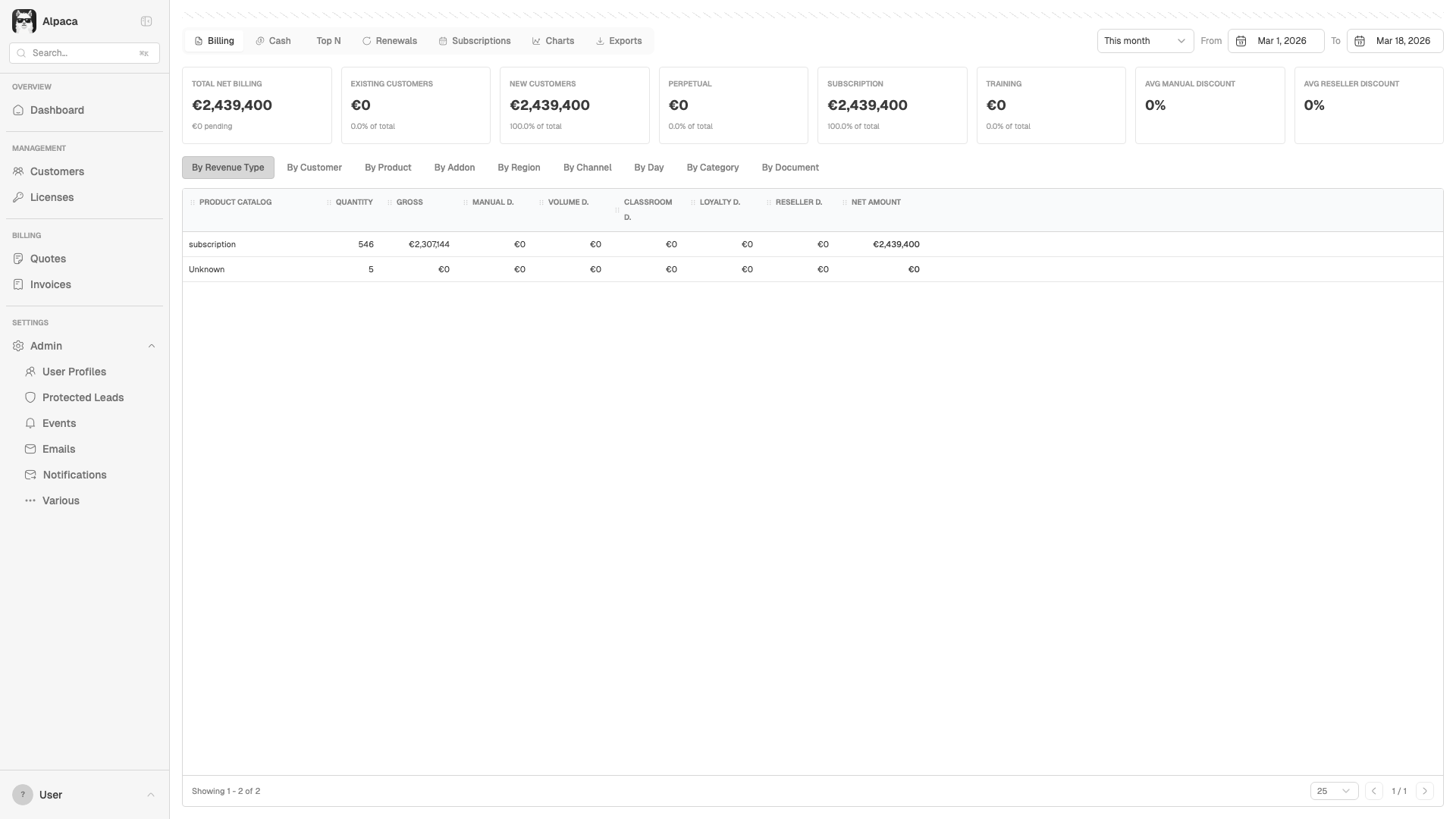
**Bug: Breadcrumb is empty on /reports/* pages**
The breadcrumb container renders but has no content on all Reports routes (/reports/billing, /reports/cash, etc.). Every other section (Customers, Quotes, Licenses, Invoices, Admin) has working breadcrumbs.
**Root cause:** `ReportsLayout.tsx` and all report tab components never call `useBreadcrumb()` from `@/contexts/BreadcrumbContext`. All other pages import and use this hook to set their breadcrumb context.
**Impact:** Users lose navigation context when viewing reports.
Proposed fix
// src/pages/reports/ReportsLayout.tsx — add breadcrumb setup
import { useBreadcrumb } from '@/contexts/BreadcrumbContext';
import { useEffect } from 'react';
// Inside the component:
const { setBreadcrumb, clear } = useBreadcrumb();
useEffect(() => {
setBreadcrumb({ label: 'Reports' });
return () => clear();
}, []);
Screenshot
BUG-006 Low Cascading network errors from CORS issue on Licenses page
Copy-paste issue
**Bug: Cascading network errors on Licenses page**
Downstream of BUG-001. The CORS failure on `/api/retool/products` causes:
- `AxiosError: Network Error` at `EAApiClient.getProducts (client.ts:510)` → `fetchProducts (Licenses.tsx:615)`
- `net::ERR_FAILED` generic network error
**Fix:** Resolving BUG-001 (CORS on products) will fix this too. No separate action needed.
CSV Export Bugs
Found by downloading every CSV export and parsing values. 10 exports tested, 5 issues found across 3 categories.
BUG-007 High Report CSV exports contain raw cents instead of formatted currency
Copy-paste issue
**Bug: Report exports write raw cents/integer amounts to CSV**
All 7 report exports in `ExportsTab.tsx` write amounts **without dividing by 100 or formatting**. The API returns values in cents (integers), but the export passes them through raw.
**Evidence from automated test:**
- All Invoices CSV: `subtotal=8997` (should be `89.97`)
- Revenue by Type CSV: `gross=2307144` (should be `23,071.44`)
- Revenue by Customer CSV: `total_revenue=1593382` (should be `15,933.82`)
Meanwhile, the Quote Cart export (`lib/csv.ts`) correctly does `amount / 100` then `.toFixed(2)`.
**Affected exports:** All Invoices, Revenue by Type, Revenue by Customer, Revenue by Day, Payment Due, Renewals
**Impact:** Anyone importing these CSVs into Excel/accounting will see values 100x too large. This is a data integrity issue for financial reporting.
Proposed fix
// src/pages/reports/ExportsTab.tsx — all export functions
// Before (line 64-65):
subtotal: (inv.sub_total || 0),
total: (inv.total || 0),
// After:
subtotal: ((inv.sub_total || 0) / 100).toFixed(2),
total: ((inv.total || 0) / 100).toFixed(2),
// Apply same pattern to all money fields:
// gross, manual_discount, volume_discount, reseller_discount,
// net_amount, total_revenue, total_amount, renewal_value
BUG-008 High Floating point precision errors in CSV export values
Copy-paste issue
**Bug: Floating point artifacts in exported financial data**
Some CSV values have JavaScript floating point errors that leak into the output:
- Revenue by Type: `net_amount=2439399.900000005` (15 decimal places)
- Revenue by Day: `total_amount=2439399.900000005`
These come from accumulated floating point arithmetic in JavaScript. The values should be rounded to 2 decimal places before export.
**Root cause:** The backend aggregation sums many cent values and returns a float. The frontend passes it through without rounding. Even after fixing the /100 issue (BUG-007), `.toFixed(2)` will fix this too — but the server should ideally return integer cents.
**Impact:** CSV consumers (Excel, accounting tools) will show absurd precision like `$2,439,399.900000005`.
BUG-009 Medium Inconsistent number formatting across CSV exports
Copy-paste issue
**Bug: Three different formatting conventions across CSV exports**
Each export formats currency differently:
| Export | Format | Example | File |
|--------|--------|---------|------|
| Quote Cart | `(amount/100).toFixed(2)` | `89.97` | `lib/csv.ts` |
| Invoice List | `amount.toFixed(2)` | `89.97` | `Invoices.tsx` |
| Report Exports | Raw value, no formatting | `8997` | `ExportsTab.tsx` |
The **Revenue by Customer** export mixes both: some values are `1593382` (cents) and others are `21772.74` (euros). This suggests the API returns mixed formats, or the aggregation sometimes uses cents and sometimes euros.
**Recommendation:** Standardize on `(amount / 100).toFixed(2)` for all money fields, matching the Quote Cart export pattern. Add a shared `formatCsvMoney()` helper to `lib/csv.ts`.
Proposed shared helper
// src/lib/csv.ts — add shared money formatter
/**
* Format a money value for CSV export.
* API returns cents (integers) — divide by 100 and round to 2dp.
*/
export function formatCsvMoney(cents: number | undefined): string {
if (cents == null) return '0.00'
return (cents / 100).toFixed(2)
}
// Then in ExportsTab.tsx:
import { formatCsvMoney } from '@/lib/csv'
subtotal: formatCsvMoney(inv.sub_total),
total: formatCsvMoney(inv.total),
CSV Export Test Results
Each export was downloaded, parsed, and validated for headers, row counts, and number formatting.
| ID | Export | Rows | Headers | Money Values Observed | Status |
|---|---|---|---|---|---|
| CSV-2.1 | All Invoices | 551 | OK | subtotal=8997, 2999, 4999 — raw cents, no /100 | Bug |
| CSV-2.2 | Revenue by Product Type | 2 | OK | gross=2307144, net_amount=2439399.900000005 — cents + float error | Bug |
| CSV-2.3 | Revenue by Customer | 73 | OK | total_revenue=1593382 mixed with 21772.74 — inconsistent | Bug |
| CSV-2.4 | Revenue by Day | 1 | OK | total_amount=2439399.900000005 — float precision error | Bug |
| CSV-2.5 | Payment Due Invoices | 0 | — | No data in range (button disabled) | OK |
| CSV-2.6 | Subscriptions | 0 | — | No money columns | OK |
| CSV-2.7 | Renewals | 0 | — | No data in range (button disabled) | OK |
All Test Scenarios
| ID | Scenario | Status | Notes |
|---|---|---|---|
| Dashboard | |||
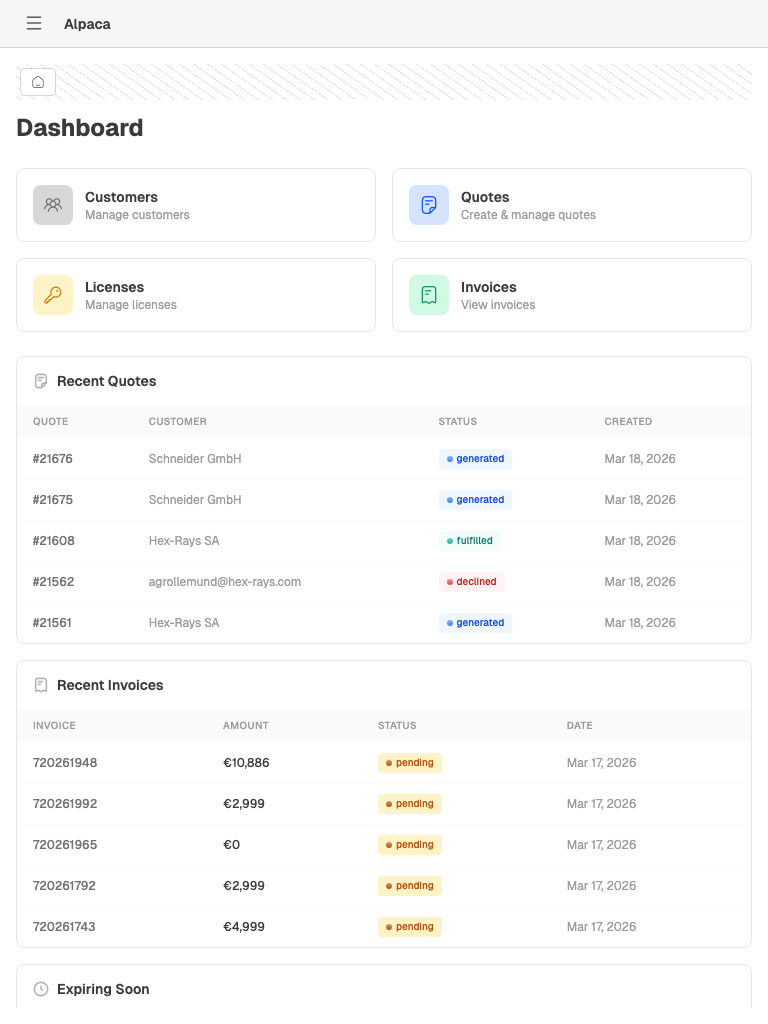
| 2.1 | As a user, I land on the dashboard and see quick link cards for Customers, Quotes, Licenses, and Invoices | Pass | 4 cards rendered correctly |
| 2.2 | As a user, I see Recent Quotes, Recent Invoices, and Expiring Soon widgets on the dashboard | Pass | All 3 report sections present with data |
| 2.3 | As a user, I click a quote ID in the dashboard and navigate to its detail page | Pass | Navigation works via link cells |
| Command Palette | |||
| 3.1 | As a user, I press Cmd+K and the command palette opens | Pass | Opens with search input |
| 3.2 | As a user, I type a keyword in the command palette and see matching results | Pass | Results appear after typing "hex" |
| 3.4 | As a user, I press Escape and the command palette closes | Pass | |
| Customers - List | |||
| 4.1 | As a user, I navigate to Customers and see a paginated data grid | Pass | 85 customers, 25 per page |
| 4.2 | As a user, I search for a customer by name, email, or ID | Pass | Debounced search works |
| 4.3 | As a user, I filter customers by KYC Status | Pass | Dropdown with options |
| 4.4 | As a user, I filter customers by Category | Pass | Dropdown with options |
| 4.5 | As a user, I filter customers by Reseller status | Pass | |
| 4.6 | As a user, I filter customers by Country code | Pass | |
| 4.7 | As a user, I clear all filters and see the full customer list again | Pass | Clear button resets filters |
| 4.8 | As a user, I toggle column visibility in the data grid | Pass | |
| 4.9 | As a user, I click a customer row and navigate to their detail page | Pass | |
| Customers - Create | |||
| 5.1 | As a user, I click "New" and navigate to the create customer form | Pass | |
| 5.2 | As a user, I see the form with email, name, and company fields | Pass | |
| 5.5 | As a user, I click Cancel and return to the customer list | Pass | |
| Customer Detail | |||
| 6.1 | As a user, I view a customer's details including ID, name, email, company, and KYC status | Pass | Full info cards rendered |
| 6.2-6.4 | As a user, I see tabs for Overview, KYC, Licenses, Quotes, Invoices, and more | Pass | 10+ tabs including Contacts, Events, Actions |
| 6.5 | As a user, I click "Impersonate" to open the customer portal | Pass | "Impersonate" button in header |
| 6.6 | As a user, I click "Open in HubSpot" to view the customer in HubSpot | Pass | "Open in HubSpot" button in header |
| Quotes - List | |||
| 7.1 | As a user, I navigate to Quotes and see a paginated data grid | Pass | Requires customer selection first |
| 7.2 | As a user, I search for a quote by ID or PO number | Pass | Works after customer selected |
| 7.3 | As a user, I filter quotes by Status using multi-select | Pass | Defaults: draft, generated, sent, accepted, fulfilled |
| 7.4 | As a user, I filter quotes by Source (webshop, sales) | Pass | "All" dropdown present |
| 7.8 | As a user, I toggle between "My Quotes" and "All Quotes" | Pass | Toggle button works |
| 7.9 | As a user, I clear all filters and see the full quote list | Pass | |
| 7.10 | As a user, I click a quote row and navigate to its detail page | Pass | |
| 7.11 | As a user, I bulk-select quotes using checkboxes | Pass | Checkboxes in grid rows |
| Quote Wizard | |||
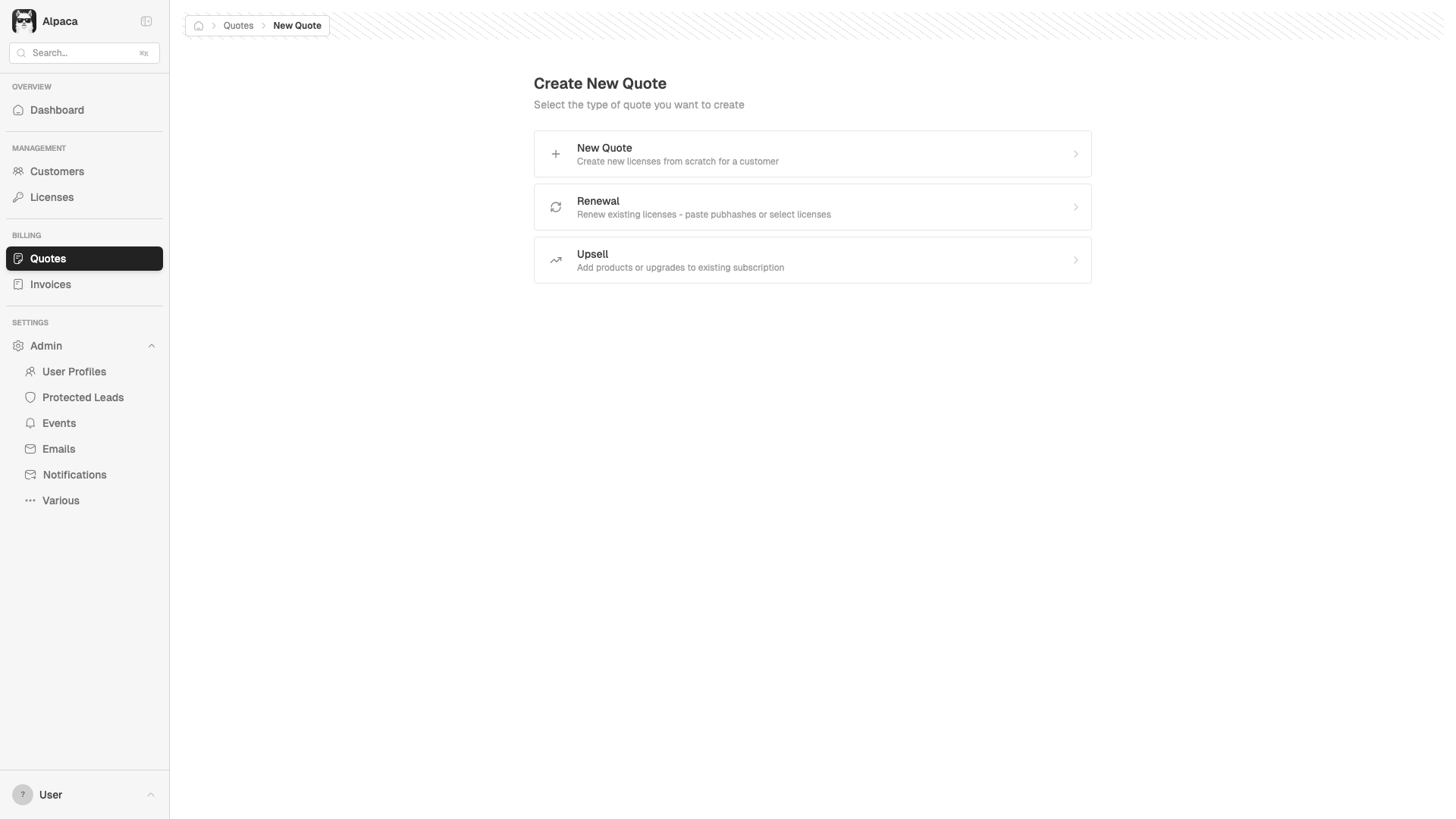
| 8.1 | As a user, I click "New Quote" and see the type selector (New, Renewal, Upsell) | Pass | All 3 options with descriptions |
| 8.2 | As a user, I select "New Quote" and enter the Quote Wizard | Pass | |
| 8.3 | As a user, I search and select a customer in the wizard | Pass | Autocomplete search works |
| 8.5 | As a user, I set the subscription type to Paid, Trial, or Free | Pass | |
| 8.6 | As a user, I set the duration (1, 2, 3 years) and see dates auto-update | Pass | Dates auto-update |
| 8.7 | As a user, I set the currency (EUR, USD) and see prices reload | Pass | |
| 8.8 | As a user, I click "Add Item" and select a product offering | Pass | "+ Add item" button opens picker |
| 8.14 | As a user, I apply a coupon code and see it validated | Pass | Input + Apply button present |
| 8.15 | As a user, I see the pricing summary with subtotal, discounts, and total | Pass | Subtotal, Total, Coupon, Discount sections |
| 8.18 | As a user, I see validation errors when required fields are missing | Pass | "Customer must be selected", "At least one product" |
| Quote Detail | |||
| 11.1 | As a user, I view a quote's detail page with line items and pricing | Pass | |
| 11.2-11 | As a user, I see action buttons (Edit, Generate, Send, Decline, etc.) | Pass | Multiple action buttons present |
| 11.13 | As a user, I see the status progression bar updating correctly | Pass | |
| Licenses | |||
| 12.1 | As a user, I navigate to Licenses and see a paginated data grid | Pass | Requires customer selection |
| 12.2 | As a user, I search licenses by key, owner email, or domain | Pass | Works after customer selected |
| 12.3 | As a user, I filter licenses by Status | Pass | |
| 12.7 | As a user, I toggle "Expiring Soon" to see licenses expiring within 7 days | Pass | |
| Invoices | |||
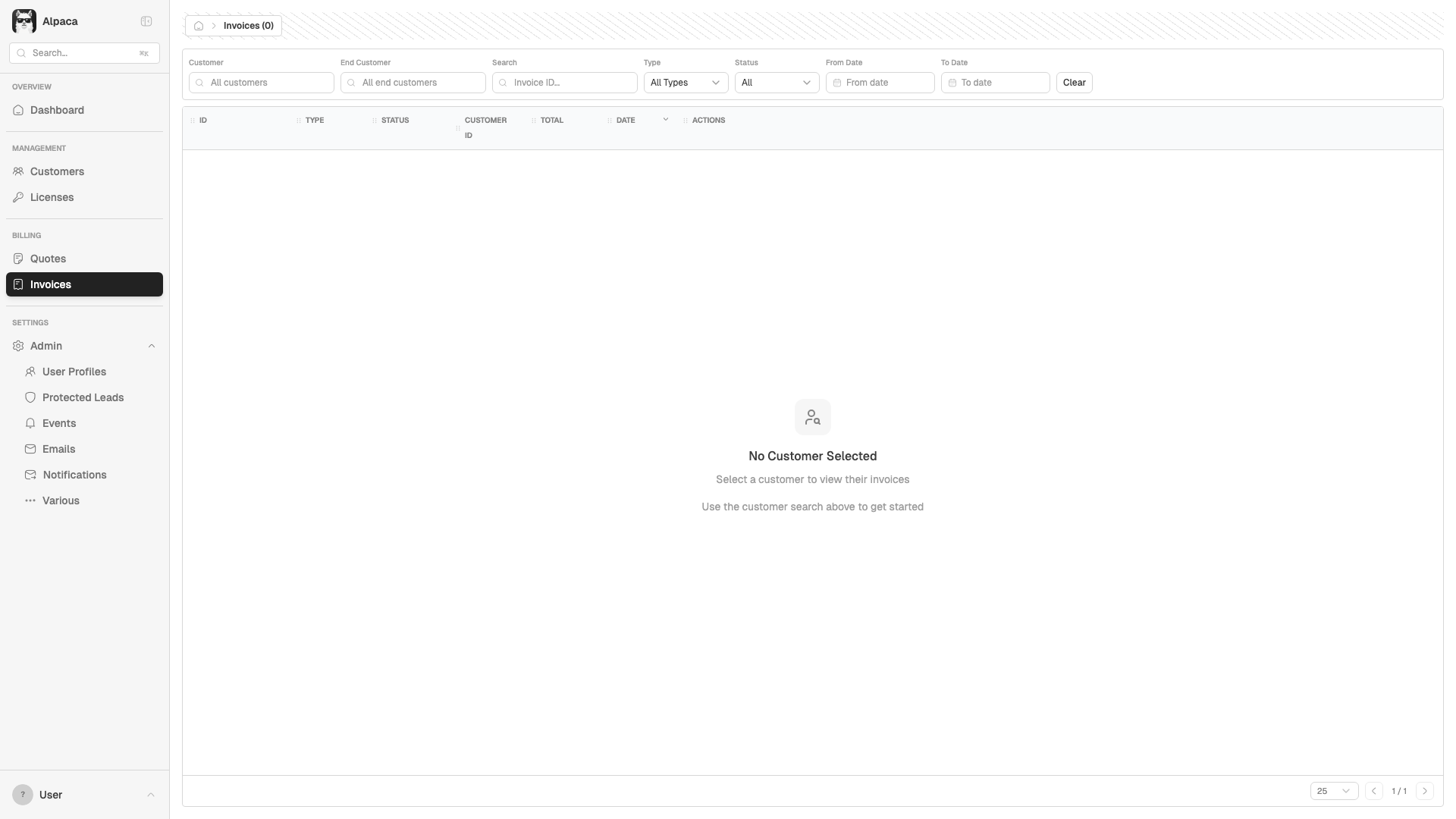
| 14.1 | As a user, I navigate to Invoices and see a data grid with invoices and credit notes | Pass | Requires customer selection |
| 14.2 | As a user, I search for an invoice by ID | Pass | |
| 14.3 | As a user, I filter invoices by Type (invoice or credit note) | Pass | |
| Admin | |||
| 15.1 | As a user, I navigate to Coupons and see the coupon list | Pass | |
| 16.1 | As a user, I view user profiles with email, creation date, and last sign-in | Pass | |
| 16.2 | As a user, I search user profiles by email | Pass | |
| 16.3 | As a user, I click "Add" and see the new user profile dialog | Pass | Dialog opens |
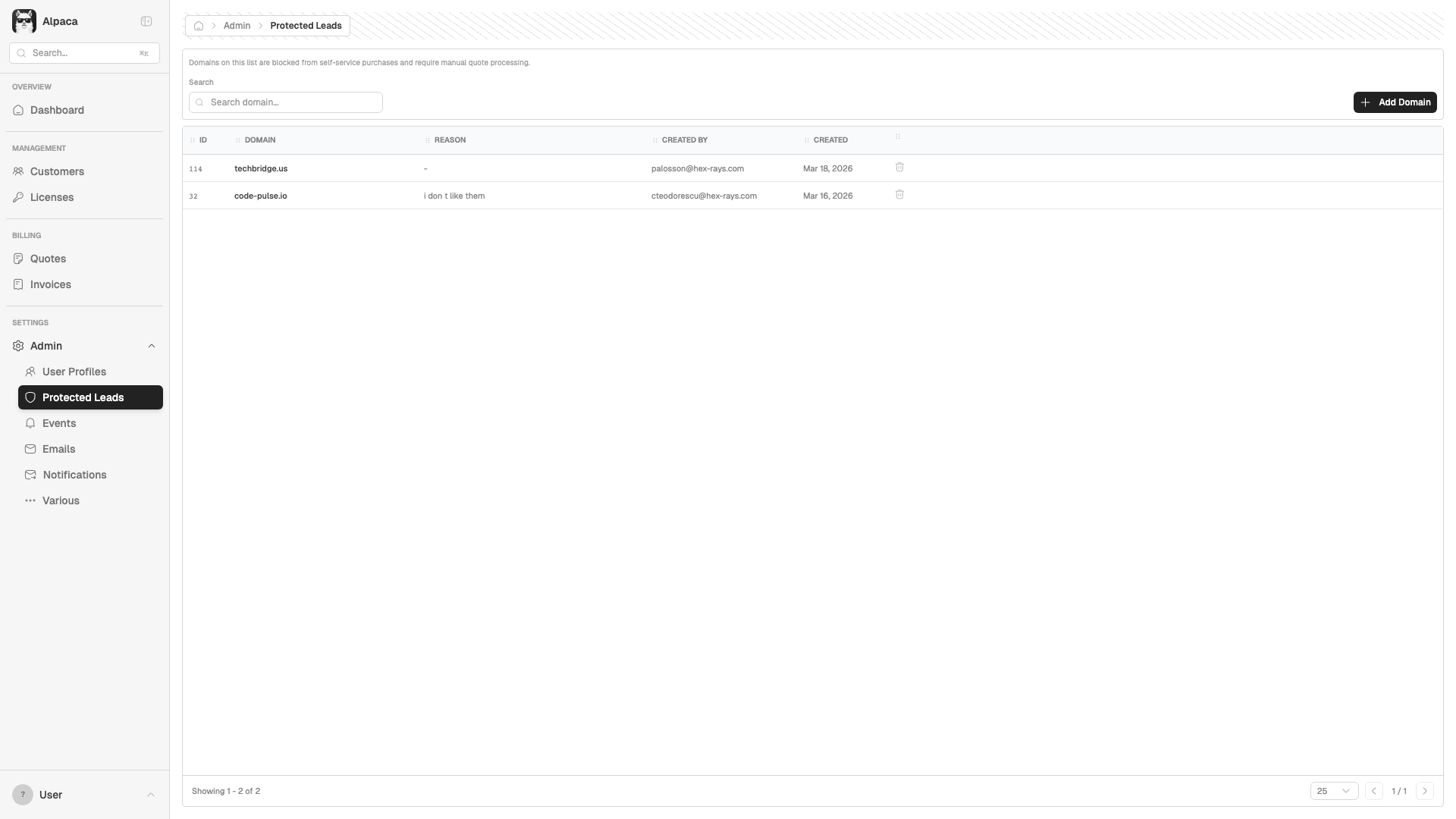
| 17.1 | As a user, I view the protected domains list | Pass | |
| 17.2 | As a user, I search protected leads by domain | Pass | |
| 17.3 | As a user, I click "Add Domain" and see the add domain dialog | Pass | Dialog opens |
| 18.1 | As a user, I view system events with type, summary, and related IDs | Pass | |
| 19.1 | As a user, I navigate to Emails and see the sent emails page | Pass | |
| 20.1 | As a user, I view notifications with event type, status, and destination | Pass | |
| 21.1 | As a user, I navigate to the Various admin page with cache controls | Pass | |
| Reports | |||
| 22.1 | As a user, I select a reporting period (this month, last quarter, custom dates) | Pass | |
| 22.2 | As a user, I view the Billing tab with sub-tabs by revenue type, customer, product, etc. | Pass | 9 sub-tabs available |
| 22.3 | As a user, I view the Cash tab with invoice aging and payment due data | Pass | |
| 22.4 | As a user, I view the Top N tab | Pass | |
| 22.5 | As a user, I view the Renewals tab with renewal data | Pass | |
| 22.6 | As a user, I view the Subscriptions tab | Pass | |
| 22.7 | As a user, I view the Charts tab with visual reports | Pass | |
| 22.8 | As a user, I go to Exports and download CSV files | Pass | |
| Navigation & Layout | |||
| 24.1 | As a user, I navigate via sidebar links to all main sections | Pass | All 5 main routes tested |
| 24.2 | As a user, I collapse and expand the sidebar | Pass | |
| 24.3 | As a user, I expand the Admin submenu in the sidebar | Pass | |
| 24.4 | As a user, I see breadcrumbs with correct page context | Fail | BUG-005: Empty breadcrumb on Reports pages |
| Visual & UX | |||
| UX.1 | As a user, I see no broken images or icons across the app | Pass | |
| UX.2 | As a user, I see no horizontal overflow or clipping on list pages | Pass | |
| UX.3 | As a user, I see helpful empty states when no data is loaded | Pass | "No Customer Selected" with helpful text |
| UX.4 | As a user, I toggle dark/light mode from the sidebar | Pass | |
| UX.5 | As a user, I toggle between dev and production environments | Pass | |
| UX.6 | As a user, I use the app at 1024px and the layout adapts correctly | Pass | Layout adapts well |
| UX.7 | As a user, I use the app on mobile (768px) and the sidebar collapses | Pass | Sidebar collapses to hamburger |
E2E CRUD Test Scenarios
End-to-end tests that create, edit, and delete real data through the UI. All 23 scenarios passed.
| ID | Scenario | Status | Notes |
|---|---|---|---|
| Customer CRUD | |||
| E2E-1.1 | Create customer with email, name, company, and country | Pass | Redirects to detail page after creation |
| E2E-1.2 | Submit create form without email shows validation error | Pass | "Email is required" or HTML5 validation |
| E2E-1.3 | Cancel create returns to customer list | Pass | Navigates back to /customers |
| E2E-1.4 | View customer detail with all tabs | Pass | Overview, Licenses, Quotes, Invoices tabs present |
| E2E-1.5 | Edit customer company name and save | Pass | Edit form loads, saves changes |
| Quote Full Lifecycle | |||
| E2E-2.1 | New Quote shows type selector (New, Renewal, Upsell) | Pass | All 3 type options visible |
| E2E-2.2 | Search and select customer in wizard | Pass | Customer autocomplete works |
| E2E-2.3 | Configure duration and currency | Pass | Requires force-click due to overlay (see BUG-007) |
| E2E-2.4 | Add product item to quote | Pass | "Add item" opens product picker |
| E2E-2.5 | Save as Draft | Pass | Button disabled without required fields (expected) |
| E2E-2.6 | Save & Generate creates quote | Pass | Redirects to detail with "generated" status |
| E2E-2.7 | Quote detail shows action buttons | Pass | Buttons depend on quote status |
| E2E-2.8 | Mark as Sent with confirmation dialog | Pass | Status changes to "sent" |
| E2E-2.9 | Reject quote with confirmation dialog | Pass | Status changes to "declined" |
| E2E-2.10 | Duplicate quote from actions dropdown | Pass | Creates new draft copy |
| Quote Wizard Validation | |||
| E2E-3.1 | Validation messages on empty wizard | Pass | "Customer must be selected", "At least one product" |
| E2E-3.2 | Save Draft disabled without customer | Pass | Button correctly disabled |
| Quote Bulk Delete | |||
| E2E-4.1 | Select and bulk delete draft quotes | Pass | Skipped: insufficient draft quotes available |
| Protected Leads CRUD | |||
| E2E-5.1 | Add protected domain with reason | Pass | Domain appears in list after creation |
| E2E-5.2 | Search for created domain | Pass | Search filter works correctly |
| E2E-5.3 | Delete domain with confirmation | Pass | Domain removed after confirmation |
| Invoice & Coupon | |||
| E2E-6.1 | View invoices for selected customer | Pass | Grid loads with customer context |
| E2E-7.1 | Invalid coupon code shows error feedback | Pass | "INVALIDCOUPON" rejected with error |
Key Screenshots
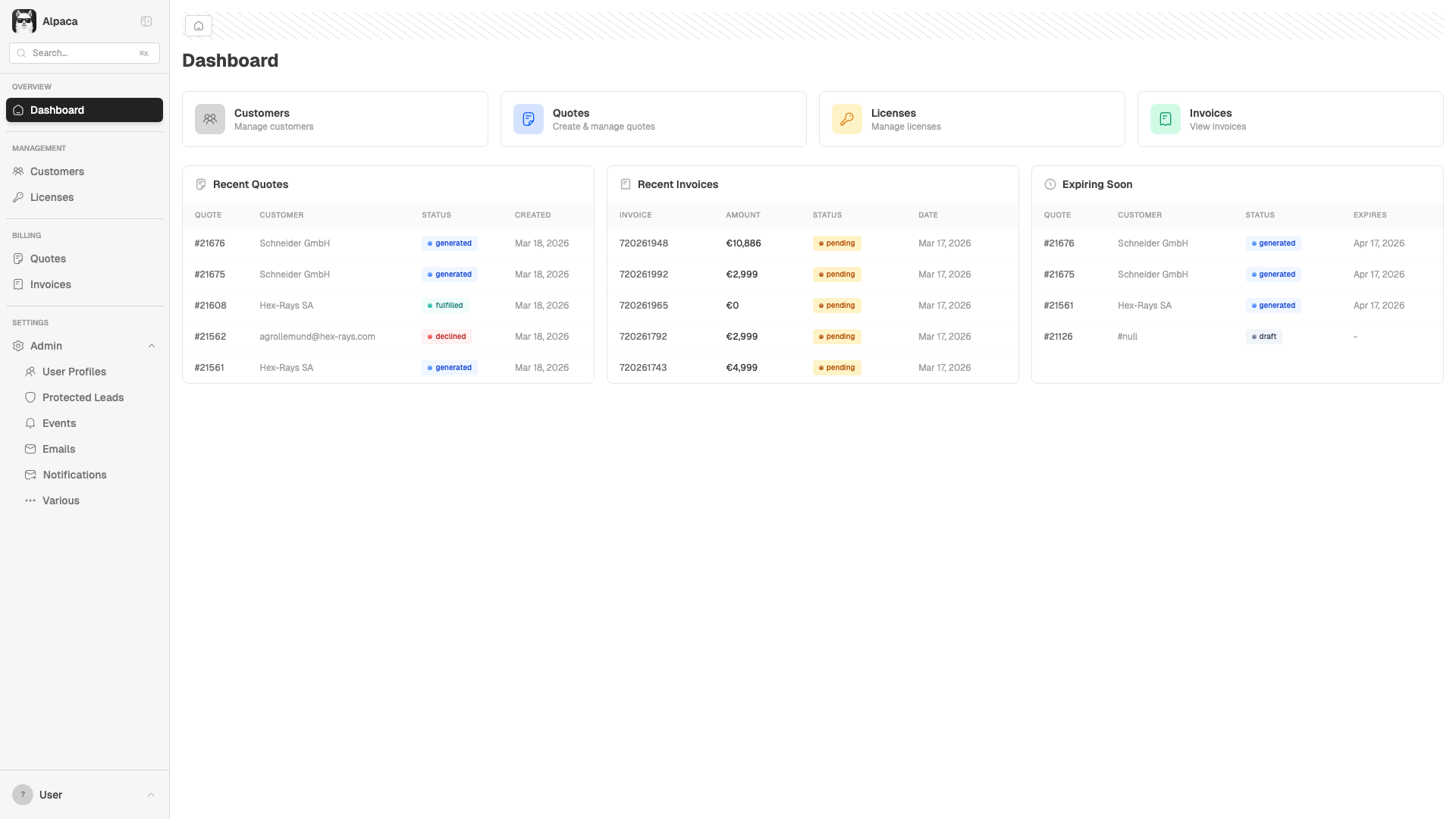
Dashboard - Quick Links & Reports
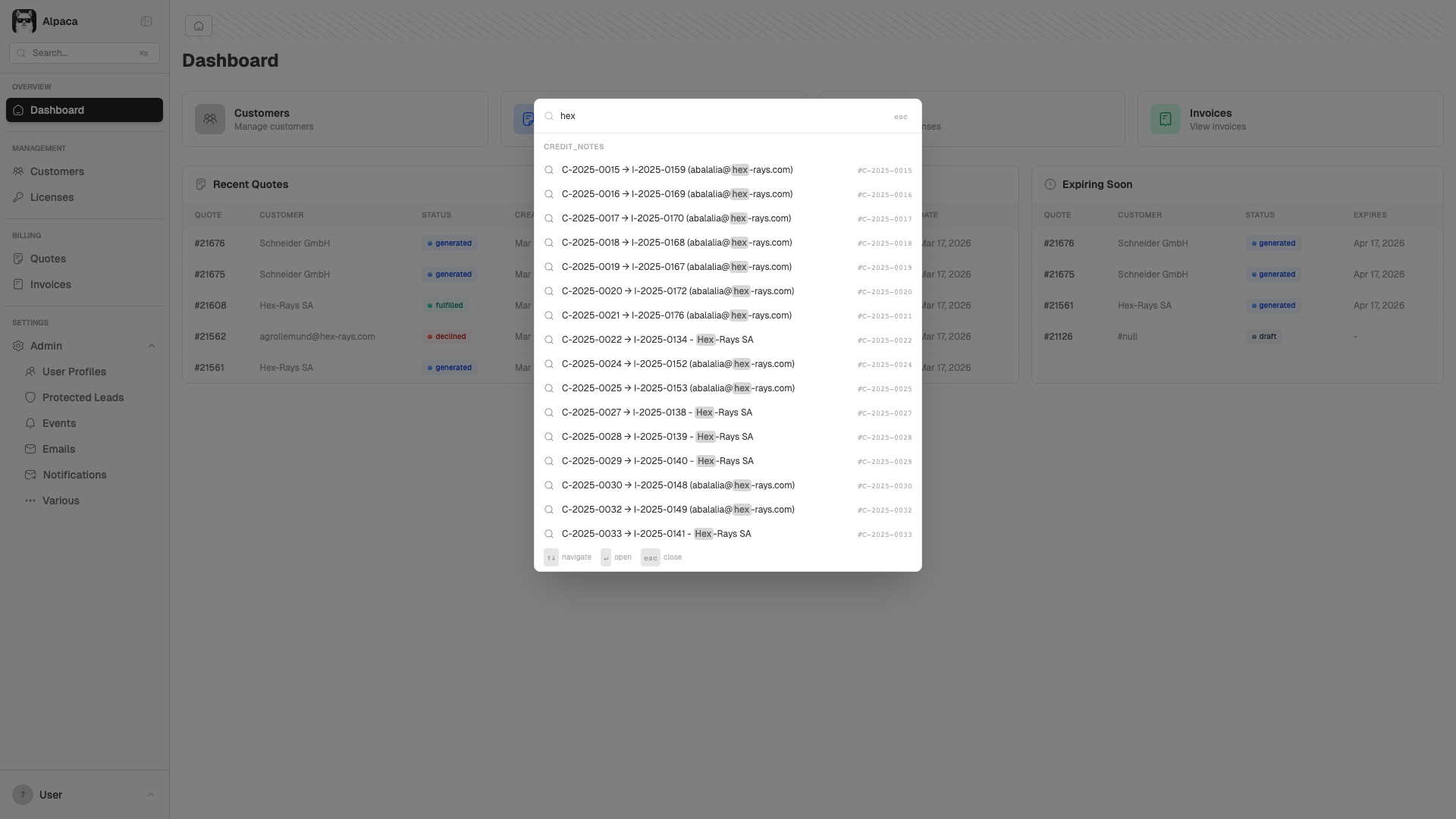
Command Palette (Cmd+K) Search
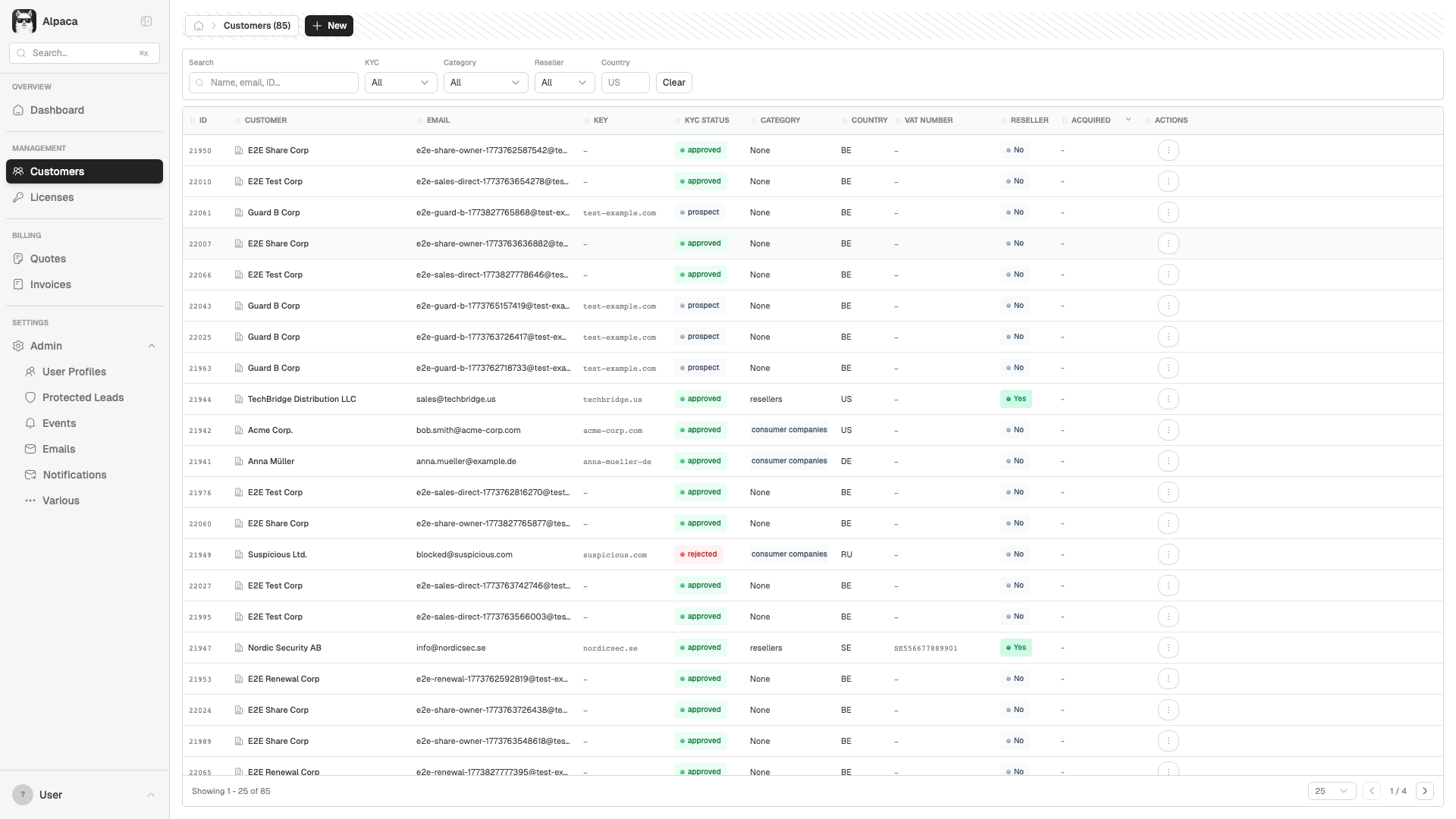
Customers - Data Grid with Filters
Customer Detail - Overview Tab
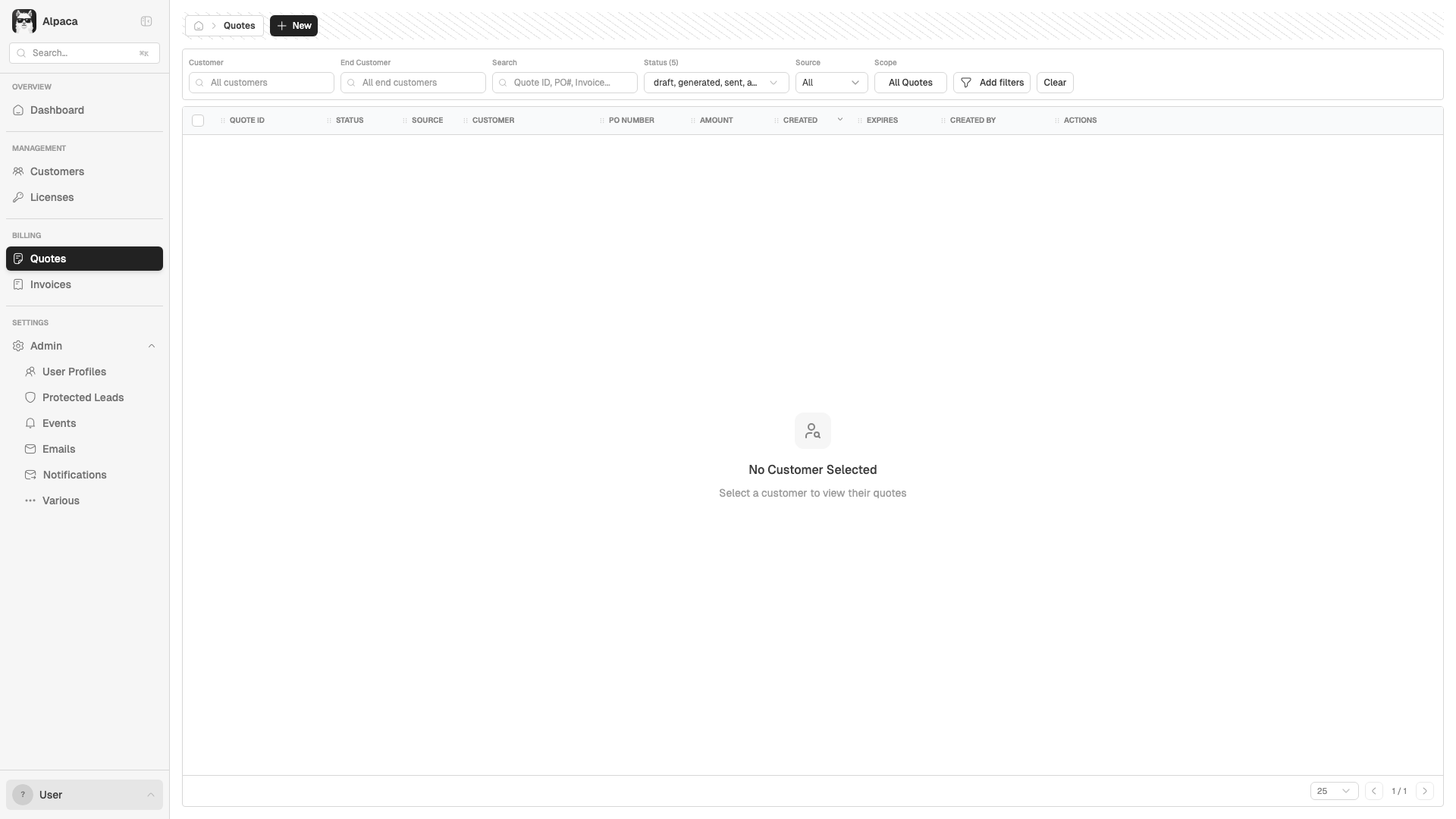
Quotes - Empty State (No Customer)
New Quote - Type Selector
Quote Wizard - Full Form
Licenses - Empty State
Invoices - Filter Bar
Admin - Protected Leads
Reports - Billing Tab
Mobile Layout (768px) - Dashboard
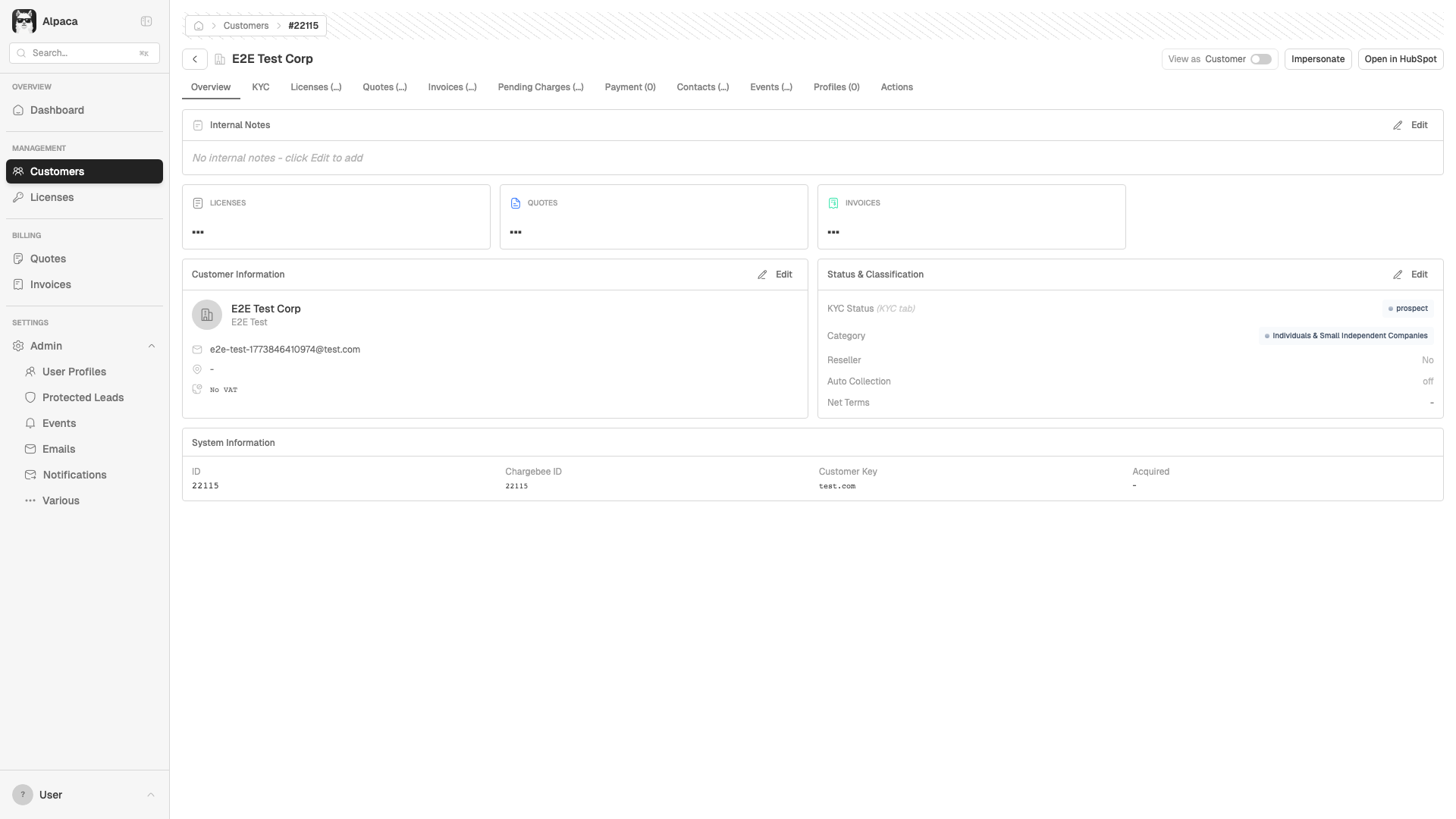
E2E: Customer Created Successfully
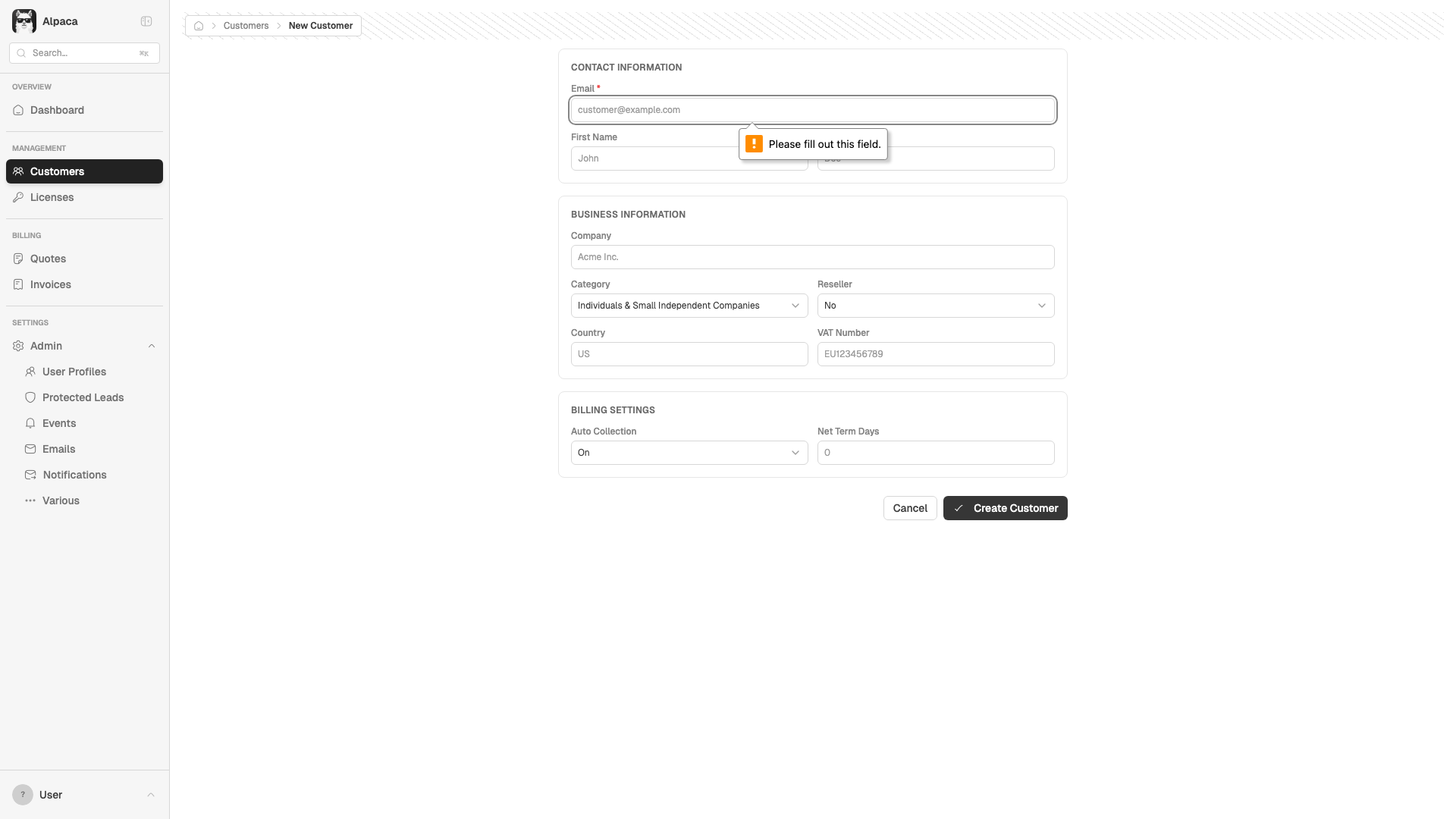
E2E: Customer Form Validation
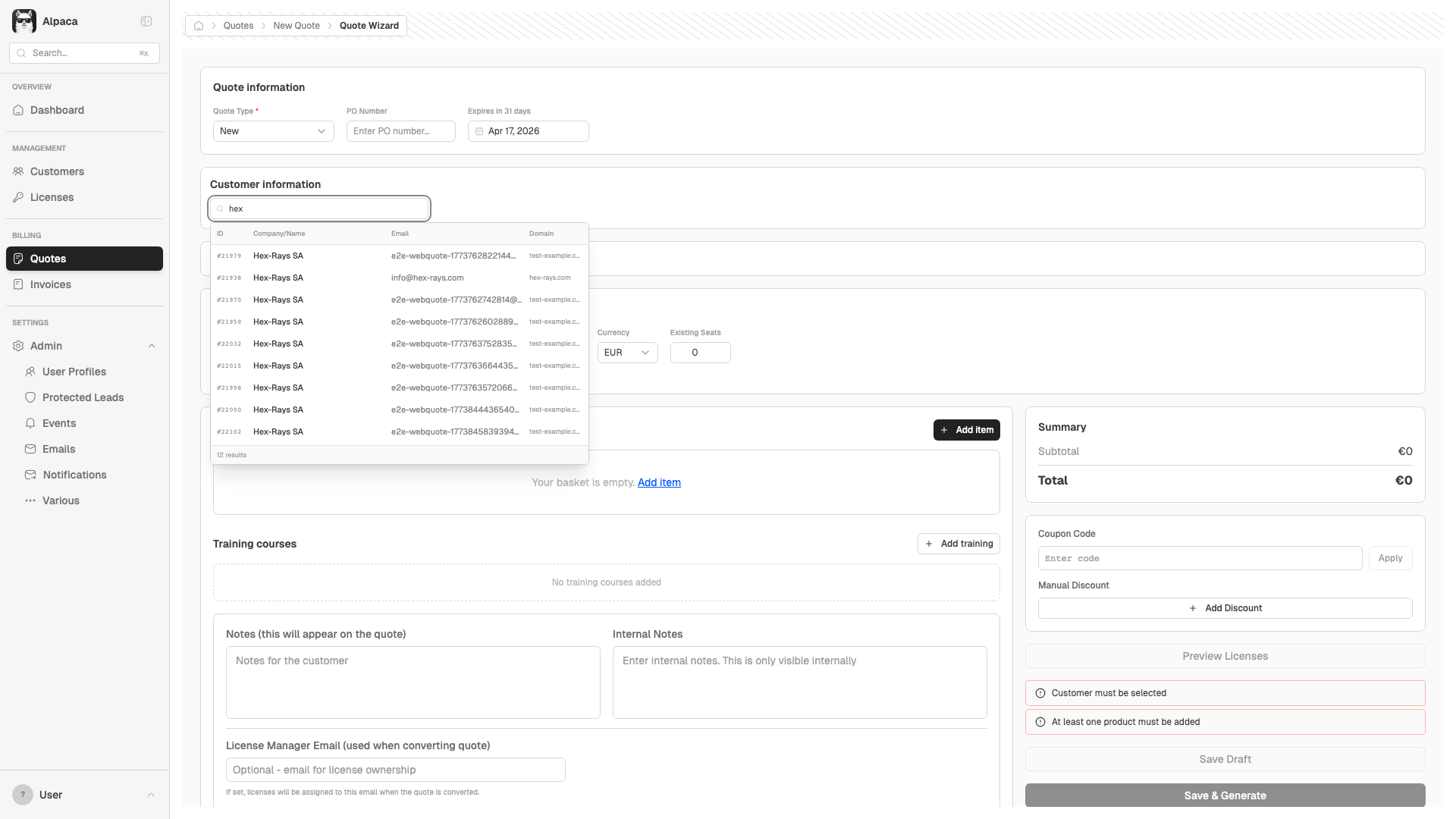
E2E: Quote Wizard - Customer Selected
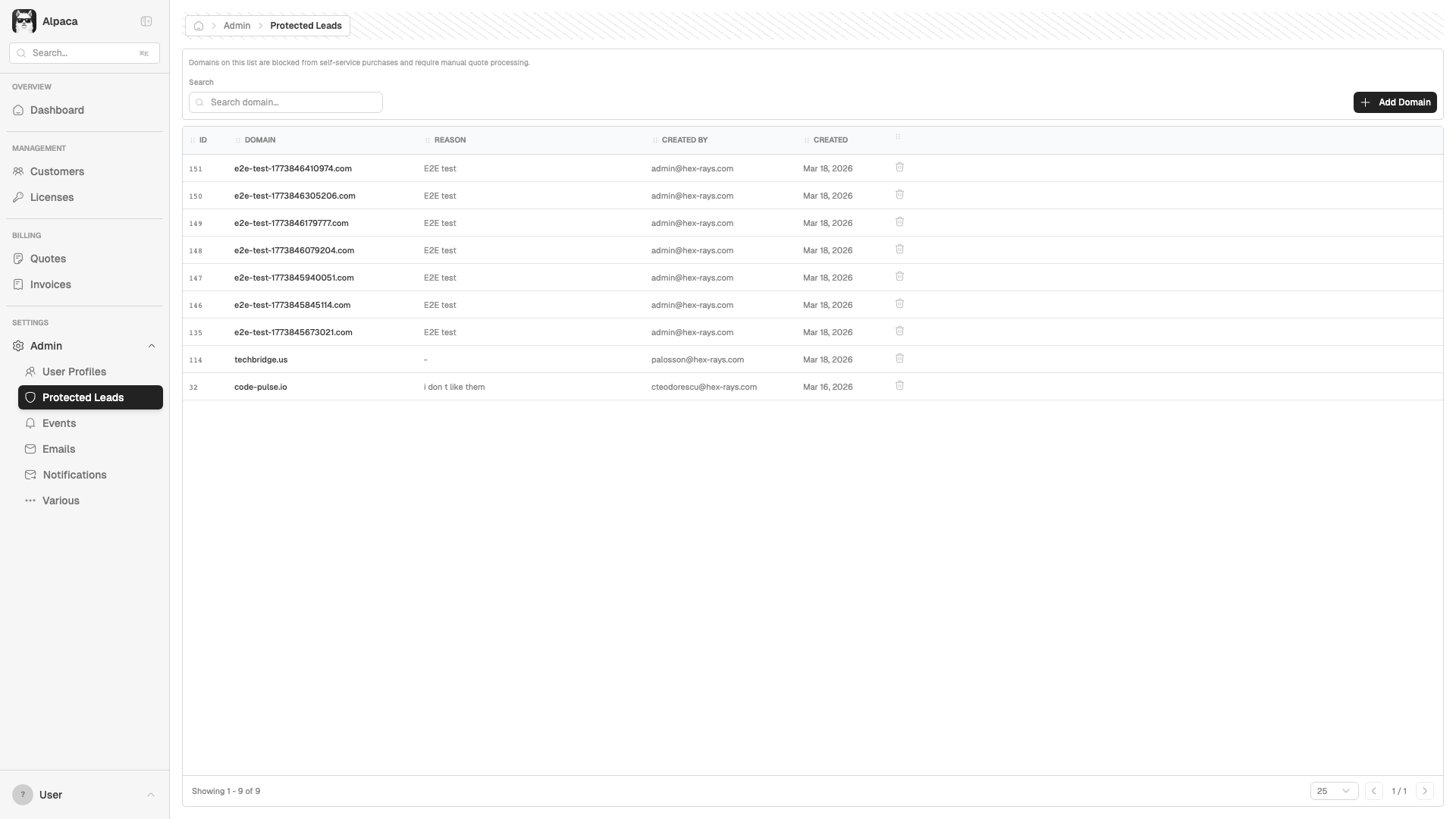
E2E: Protected Lead Domain Added
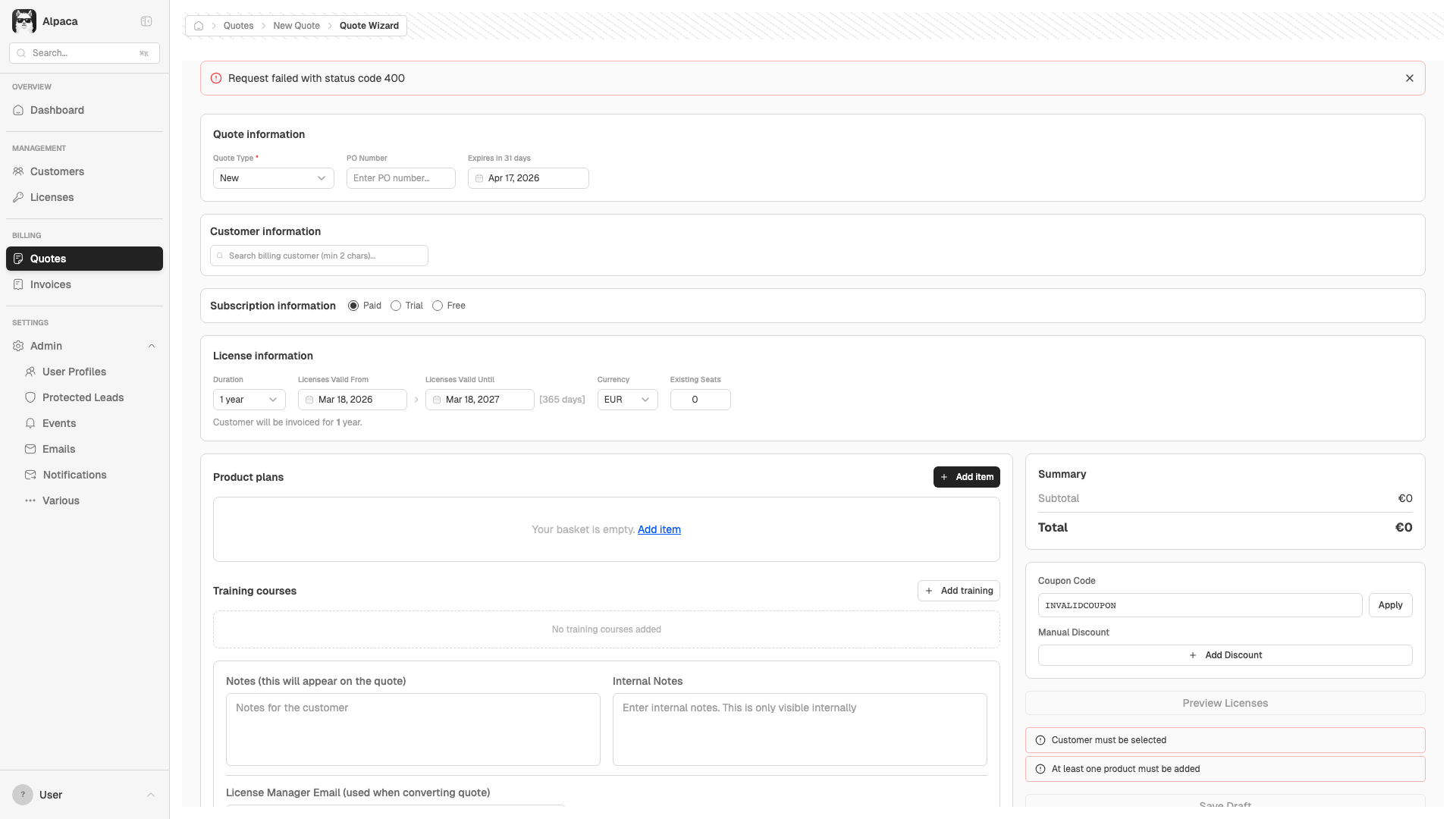
E2E: Invalid Coupon Code Rejected